Work from the image ratio
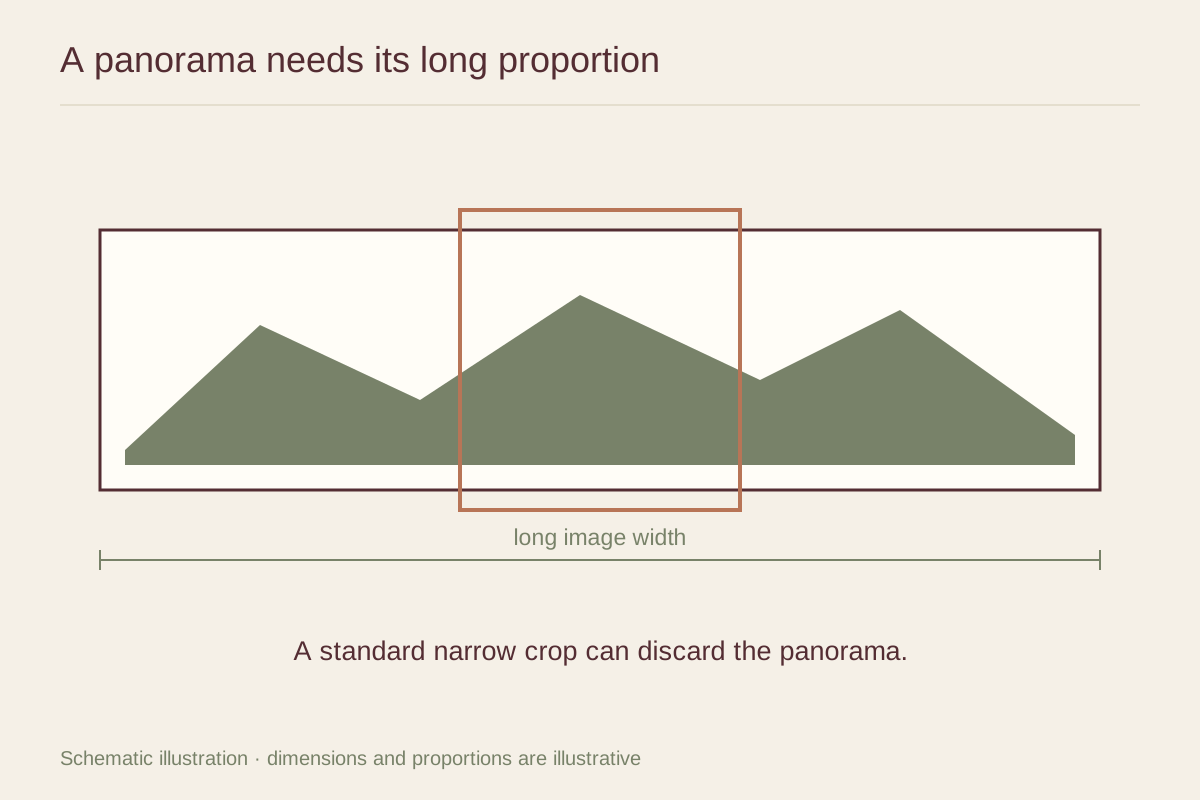
Divide the image width by its height to understand its shape. A 3:1 panorama would be 30 inches wide at a 10 inch image height. A 2:1 frame opening cannot show that entire image edge to edge without either cropping or adding empty space. Preserve the ratio when resizing; stretching the file changes the landscape itself.
Mark the important features at both ends and near the horizon. If a crop is necessary, make it consciously and check whether the new composition still has a clear subject. Sometimes reducing the width removes an empty area successfully; sometimes it eliminates the visual reason for the panorama.
Measure the height you can actually see
A very wide print can remain surprisingly shallow. Across a room, fine details in that narrow band may disappear. Test the image height as well as the total width, using a paper template and a scaled preview of the photograph.
A mat and frame add height around the image but do not make the landscape details larger. If the wall cannot accept the width needed for a readable image, a different wall or a different photograph may be more satisfying. Avoid forcing the panorama into a small slot simply because its shape appears to match.
Check resolution and the finished frame
Use the pixel dimensions after any stitching and cropping to calculate the available resolution at the proposed size. Inspect seams, repeated objects, and distorted edges in a phone panorama before ordering a large print. Those defects can be unobtrusive on a screen and obvious on a long wall display.
Ask for the complete outside frame dimensions and weight. Long frames need suitable structural support and hanging hardware, even when the image is not tall. A physical proof of a demanding section can answer questions about detail before the full print is made. Confirm the final crop in writing so the delivered view contains the landscape you intended to keep.